11Keys: All plansTeam: Business

For solo walkers. And for the whole pack.

Whether you walk alone or with a small team, Dog Walkers grows with your business.

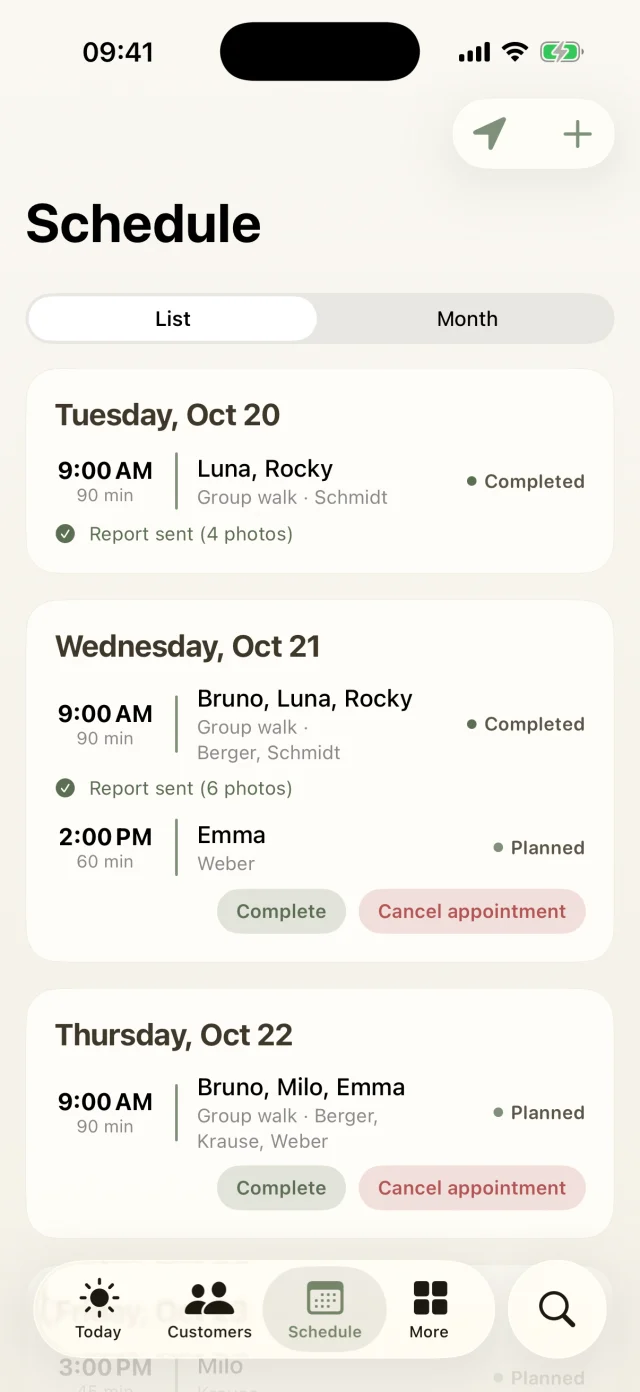
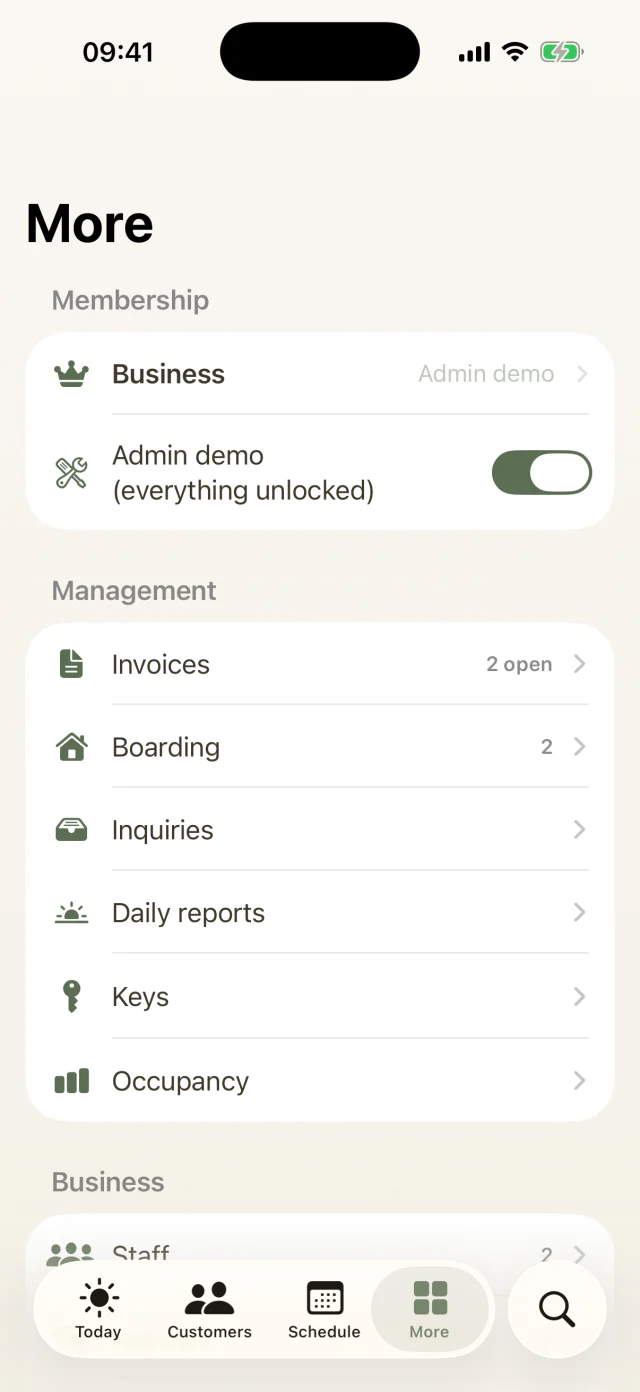
More section with membership, invoices, boarding, inquiries, daily reports, keys and capacity.
Team, keys & business

What's inside

  • Key managementWhere it's kept, “with me” or returned. Taking and returning are one tap each, and the history shows every handover.
  • Team membersAdd your team and share out the walks.Business
  • Capacity by weekdayHow full your groups are and where there's still room for new dogs.
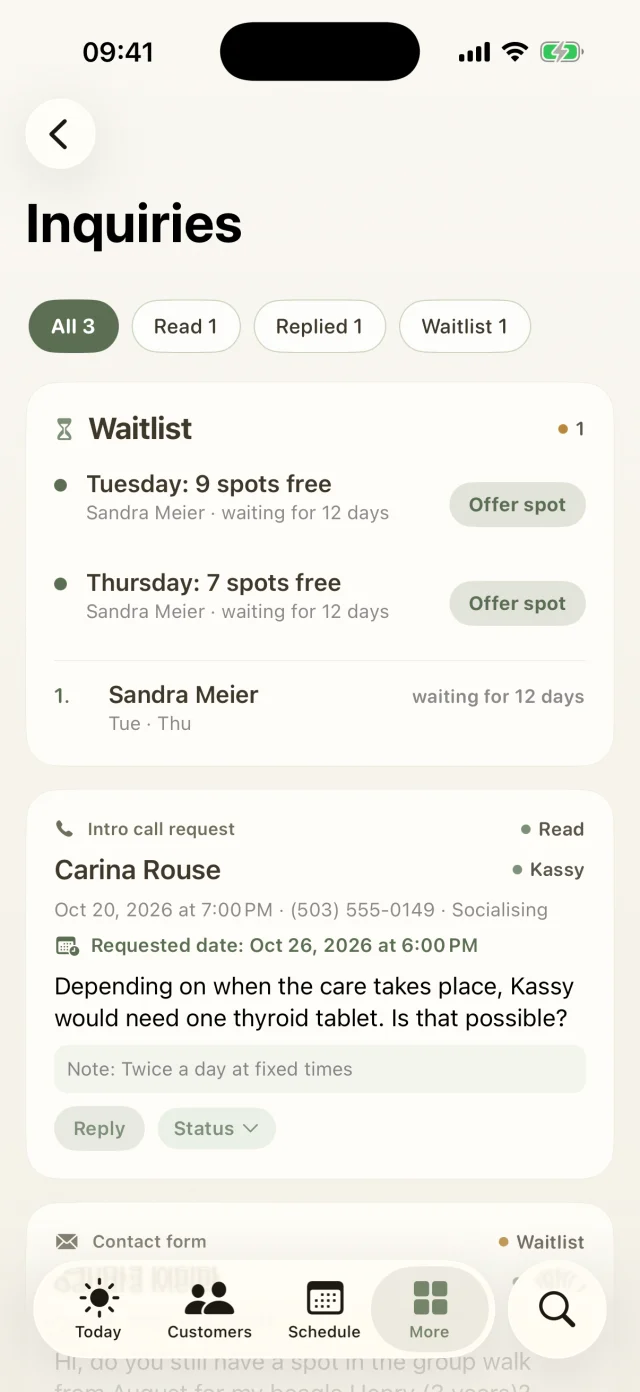
  • Incidents and daily reportsIf something does happen, you can document it properly and let the owners know.Pro and up
Good to know

The most common questions on this topic. You'll find even more answers in the Help Center.

How do I manage keys?

You add keys in the customer profile via Edit. Under More → Keys you then see for every key whether it's stored, with the walker or returned. Taking and putting back are one tap each. The history shows every handover, and when you return a key to the customer the app drafts the email too. Keys to take along also show up in the morning's Important list.

Can I add staff? Business

Yes. Under More → Staff you add your team with name, email and role. The subscription keeps running through your Apple ID.

How do I record an incident? Pro and up

In the Schedule tab, tap + and then Log incident, or start from the customer profile. You note date, dog and what happened, and whether the owners have been told. That way you're properly documented if questions come up later.

Still have questions? Just write to us.

Behind Dog Walkers is a small team of dog lovers. We answer personally, usually the very same day.

A woman with red curls and glasses walks three leashed dogs through an autumn park.

Your pack
is waiting.

Try Dog Walkers free for a week. We're pretty sure you won't want to go without it afterwards. And if you do, canceling takes two taps.